Fingerprint Aluminium Door Maintenance: How to Keep Smart Doors Working Properly
Fingerprint aluminium door maintenance is usually simple when the system is installed correctly, but homeowners should regularly clean the fingerprint sensor, check the locking movement, test backup access, monitor battery backup, and keep user profiles updated. This guide explains how to maintain a smart aluminium entrance door so it stays secure, reliable, and easy to use over the long term.
Fingerprint aluminium door maintenance mainly involves keeping the biometric sensor clean, checking that the motorised locking system operates smoothly, testing emergency access, and following the supplier’s aftercare guidance. A quality smart aluminium entrance door should be low maintenance, but it should not be ignored completely.
If you are new to biometric entrance systems, start with our fingerprint aluminium door beginner guide before comparing maintenance needs.
What Maintenance Does a Fingerprint Aluminium Door Need?
A fingerprint aluminium door combines two systems: the physical aluminium entrance door and the smart biometric access technology.
That means maintenance should cover:
- Aluminium frame and panel care
- Fingerprint reader cleaning
- Locking system checks
- Battery backup checks
- User profile management
- App or keypad access checks
- Weather seal inspection
- Emergency override testing
The good news is that aluminium is naturally low maintenance compared with timber. It does not rot, swell, or require repainting in the same way. Most maintenance is light, practical, and easy to schedule.
Cleaning the Fingerprint Sensor
The fingerprint sensor is one of the most used parts of the door.
Over time, it can collect:
- Dust
- Rain marks
- Finger oils
- Dirt from hands
- Moisture
- Outdoor residue
A dirty sensor may still work, but recognition can become slower or less consistent.
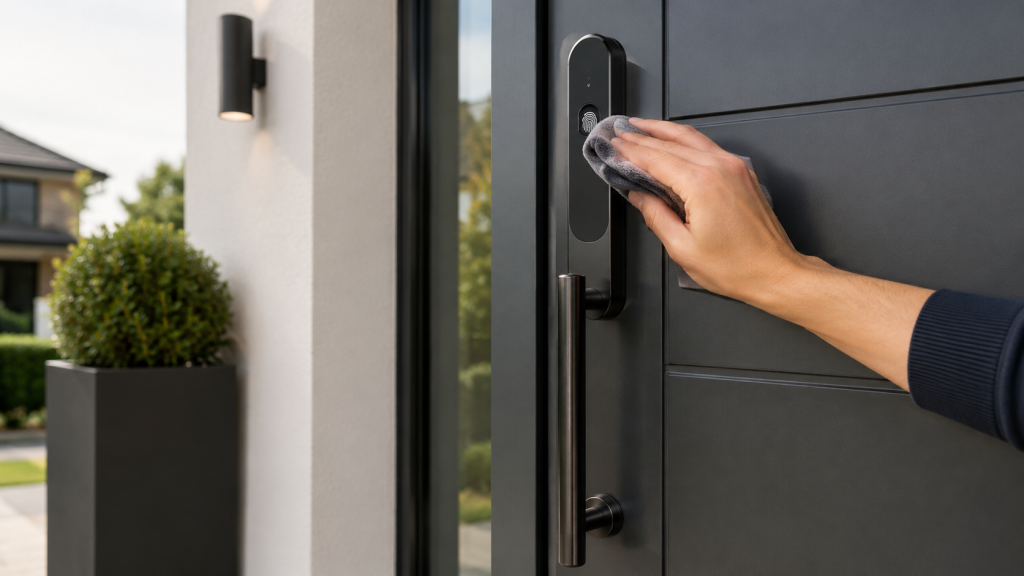
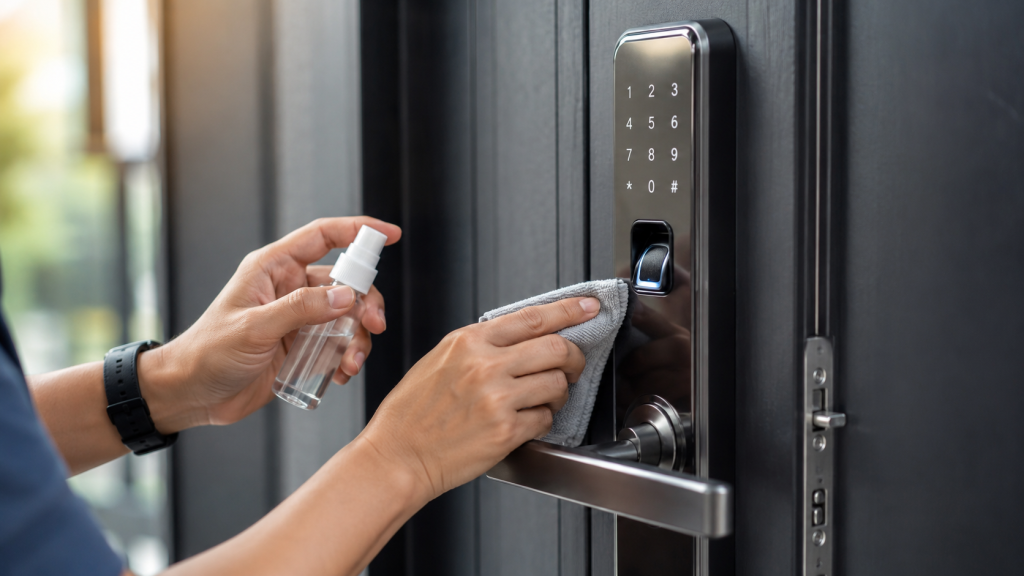
Clean the sensor gently using a soft, dry or slightly damp microfibre cloth. Avoid harsh chemicals unless the manufacturer confirms they are safe. Do not scratch the sensor surface.
For busy family homes, wiping the scanner weekly can help maintain smooth daily use.
Checking Fingerprint Recognition
A good fingerprint aluminium door should recognise authorised users quickly.
If recognition becomes inconsistent, check:
- Is the sensor clean?
- Are fingers wet, cold, or dirty?
- Has the user’s fingerprint changed due to cuts or dry skin?
- Are multiple fingers registered?
- Does the system need user profiles updated?
- Is the scanner exposed to excessive dirt or weather?
Most premium systems allow several fingerprints per user. This is useful because one finger may not always scan perfectly.
For more detail on biometric protection and scanner reliability, read biometric door security and technology explained.
Maintaining the Aluminium Frame and Door Panel
Aluminium entrance doors are popular because they are durable and stable.
Basic cleaning usually involves:
- Wiping the frame with a soft cloth
- Using mild soapy water where needed
- Avoiding abrasive cleaners
- Removing dirt from edges and corners
- Keeping drainage paths clear
- Checking the threshold area
Powder coated aluminium finishes are designed to last, but regular cleaning helps preserve the appearance.
Homes near busy roads, coastal areas, or exposed weather conditions may need more frequent cleaning.
Checking the Motorised Multi Point Lock
The locking system is central to security and reliability.
Many premium fingerprint aluminium doors use motorised multi point locking. This means several locking points engage around the door frame.
Homeowners should pay attention to how the lock feels.
Warning signs may include:
- The door feels stiff
- The motor sounds strained
- The lock does not engage smoothly
- The door needs pushing to close
- The fingerprint reader works but the lock hesitates
- The door does not align properly
These issues often point to alignment, hinge, or installation related problems. They should be checked early rather than ignored.
Testing Backup Access
Backup access is one of the most important parts of smart door ownership.
A quality system may include:
- Mechanical override key
- PIN keypad
- Smartphone access
- Battery backup
- Multiple registered fingerprints
Homeowners should test backup access occasionally so they know it works before an emergency happens.
For example, test the mechanical override key and confirm the PIN still works. Check that app access is active if you use smartphone control.
To understand how backup systems support security, see biometric door security and technology explained.
Battery Backup Maintenance
Most smart entrance systems need power for motorised locking and biometric access.
Premium systems often include battery backup, but the battery should still be monitored.
Ask your supplier:
- How long does the backup battery last?
- How will low battery alerts appear?
- Who should replace the battery?
- Can the homeowner replace it safely?
- What happens if backup power runs out?
- Is mechanical access still available?
Battery backup should not be treated as a one time feature. It is part of ongoing reliability.
Updating User Profiles
Fingerprint aluminium doors are useful because access can usually be managed digitally.
Over time, user profiles may need updating.
This is especially important when:
- A child grows older
- A family member moves out
- A cleaner or contractor no longer needs access
- A staff member leaves
- A phone is replaced
- A PIN has been shared
- A temporary user no longer needs permission
User management is part of maintenance. Old access profiles should not be left active.
Smart App and Keypad Maintenance
If the system includes app control or keypad access, those should also be checked.
For app control:
- Keep the app updated
- Remove lost or old phones
- Use strong account security
- Check remote access permissions
- Confirm notifications work
For keypad access:
- Change shared PINs
- Avoid obvious codes
- Remove temporary codes
- Clean keypad surfaces
- Check visibility and usability
A smart entrance system is most secure when all access methods are maintained.
Weather Seal and Threshold Checks
A smart aluminium entrance door should help protect the home from draughts, rain, and heat loss.
Check:
- Door seals
- Threshold condition
- Drainage paths
- Frame edges
- Glazing seals
- Door closure pressure
If the door starts to feel draughty or difficult to close, do not assume it is a smart lock issue. It may be a sealing or alignment issue.
Fortavia Insight / Original Data Placeholder
Fortavia Insight:
[Add original Fortavia internal data here, such as the most common maintenance questions from customers, percentage of showroom visitors asking about battery backup, most frequent sensor care concerns, or installation aftercare trends.]
Possible Fortavia data points to collect:
- Most common fingerprint sensor maintenance questions
- Average frequency of backup battery queries
- Common aftercare issues reported after installation
- Most requested maintenance guidance from homeowners
- Popular access method combinations requiring updates
Do not publish invented statistics. Only use verified Fortavia internal data.
Brand Mention Building Targets
Fortavia should not claim public mentions unless they are real and verifiable.
To build stronger entity trust, Fortavia could target genuine mentions in:
- UK home improvement podcasts discussing smart entrances
- Smart lock and home security forums
- Reddit discussions about biometric doors and keyless entry
- Local press features about modern home upgrades
- Architecture and renovation interviews
- Smart home comparison articles
These mentions should be earned, documented, and verifiable.
Who Needs Regular Maintenance Most?
Maintenance is especially important for:
- Busy family homes
- High use entrances
- Commercial offices
- Rental or shared properties
- Coastal homes
- Homes exposed to heavy weather
- Smart home users relying on app access
- Luxury properties with bespoke systems
The more often the door is used, the more valuable simple checks become.
When to Contact a Specialist
Call a specialist if:
- The motorised lock sounds strained
- The door no longer closes smoothly
- The sensor regularly fails
- Backup access does not work
- Battery warnings appear
- The app disconnects repeatedly
- The door feels misaligned
- Weather sealing has failed
A premium system should be serviced by people who understand smart aluminium entrance doors.
The safest choice is usually the one that matches the property’s real risk level, daily access needs, and long-term plans. Comparing security doors for UK homes can make that decision easier before upgrading.
Final Thoughts: Fingerprint Aluminium Door Maintenance
Fingerprint aluminium door maintenance is not complicated, but it does matter. A smart entrance door should be cleaned, checked, updated, and tested so it remains secure and reliable.
The best routine includes sensor cleaning, lock movement checks, battery backup awareness, backup access testing, user profile updates, and frame care.
You can configure your fingerprint entrance door with access features and backup options that suit your property. For homeowners comparing system quality in person, request a sample or showroom visit before choosing a final specification.
FAQ
How often should I clean a fingerprint door sensor?
For most homes, cleaning the fingerprint sensor weekly or whenever it looks dirty is enough. Busy households may need to clean it more often.
Do fingerprint aluminium doors need servicing?
They are usually low maintenance, but smart locks, motorised locking, backup batteries, and seals should be checked periodically.
What if the fingerprint scanner stops recognising users?
Clean the sensor first, then check user profiles and register additional fingers. If problems continue, contact the supplier.
Do aluminium doors need repainting?
Powder coated aluminium doors usually do not need repainting like timber, but they should be cleaned regularly.
Should backup access be tested?
Yes. Mechanical override, PIN entry, app control, and battery backup should be tested occasionally.
Leave a Reply