Fingerprint Door Privacy and Data Security: What UK Homeowners Should Know
Smart entrance technology is becoming more common in premium UK homes, but many homeowners still have one important question before choosing a biometric front door:
What happens to my Fingerprint Door Privacy and Data Security?
It is a reasonable concern. A fingerprint is personal, and any technology that uses biometric recognition should be understood properly before it becomes part of your home.
The good news is that modern fingerprint door privacy systems are usually designed with several layers of protection. A quality biometric entrance door does not simply store a photo of your fingerprint in an exposed database. Instead, reputable systems typically use encrypted fingerprint templates, secure access control, local or protected storage, and multiple backup methods.
If you are unfamiliar with how these systems work in general, start with our fingerprint aluminium door beginner guide before comparing privacy and security features in detail.
What Does Fingerprint Door Privacy Mean?
Fingerprint door privacy refers to how a biometric entrance system collects, stores, protects, and manages fingerprint access data.
A fingerprint aluminium door uses biometric recognition to confirm whether someone is authorised to enter. When a user places a finger on the scanner, the system compares the scan against stored biometric data. If it matches an approved user profile, the door unlocks.
Privacy matters because the system is handling sensitive access information.
Good fingerprint door privacy depends on:
- How the fingerprint is registered
- Whether the data is encrypted
- Where the biometric template is stored
- Who can manage user profiles
- How users can be removed
- Whether the system depends on cloud storage
- How access logs are handled
- What backup entry methods exist
For homeowners, the key point is simple: do not only ask whether the fingerprint scanner is convenient. Ask how the system protects your data.
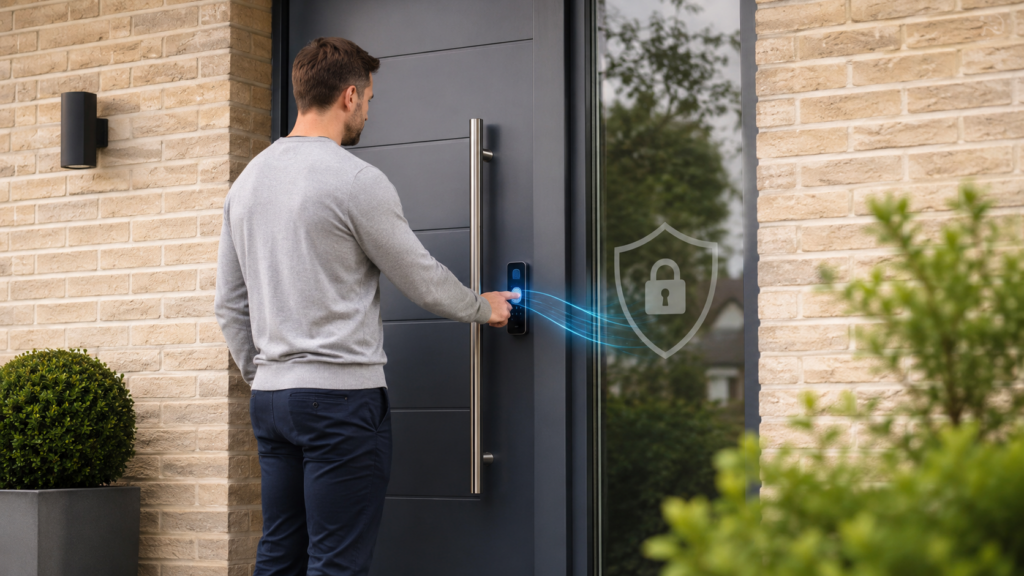
Do Fingerprint Doors Store Actual Fingerprints?
In most quality biometric entrance systems, the door should not store a normal fingerprint image like a photograph.
Instead, the system usually converts the fingerprint into a mathematical template. This template represents key points and patterns from the fingerprint. When someone tries to unlock the door, the system compares the new scan against the stored template.
This matters because a template is not the same as a visible fingerprint image.
A well designed system should make it difficult for someone to reverse the stored template back into an actual fingerprint image. That is one reason encrypted biometric templates are important.
When comparing systems, homeowners should ask the supplier directly:
- Does the system store fingerprint images or encrypted templates?
- Is biometric data stored locally or remotely?
- Can the homeowner delete user profiles?
- Is access protected by administrator permissions?
- Are logs visible to the homeowner?
- What happens if the system is reset or replaced?
These questions help separate premium biometric systems from lower quality smart locks.
Why Encryption Matters in Fingerprint Door Data Security
Encryption is one of the most important parts of fingerprint door data security.
In simple terms, encryption helps protect stored information so it cannot be easily read or misused if someone gains unauthorised access to the system.
For biometric entrance doors, encryption may be used to protect:
- Fingerprint templates
- User profiles
- Access permissions
- App communication
- Door status data
- Entry logs
- Remote access commands
A premium fingerprint aluminium door should not treat biometric access as a basic convenience feature only. It should be part of a properly secured smart entrance system.
To understand how this fits into the wider security setup, read biometric door security and technology explained.
Local Storage vs Cloud Storage
One of the biggest privacy questions is whether fingerprint data is stored locally or in the cloud.
Local Biometric Storage
Some fingerprint door systems store biometric templates locally within the door controller or access module.
This can be attractive for privacy conscious homeowners because fingerprint recognition can often work without relying on an internet connection.
Benefits may include:
- Less dependence on cloud services
- Continued access during Wi Fi outages
- Faster recognition in some systems
- More direct control over the entrance system
However, local storage still needs strong encryption and secure administrator controls.
Cloud Connected Systems
Some smart entrance systems use cloud features for remote access, notifications, software updates, or user management.
Cloud connectivity can be useful, especially for homeowners who want:
- Remote unlocking
- Access notifications
- App based control
- Activity logs
- Temporary permissions
- Smart home integration
The important question is not simply whether cloud features exist. The real question is whether the system handles data securely and transparently.
For many homeowners, the best setup is a balanced one: local fingerprint recognition for daily entry, with secure app features for remote convenience.
Does a Fingerprint Door Need Wi Fi to Work?
Most quality fingerprint entrance systems should not need Wi Fi for basic fingerprint unlocking.
Fingerprint recognition usually happens through the door’s own controller or local access system. This means the door can often continue working even if the internet connection goes down.
Wi Fi or internet access is mainly used for features such as:
- Remote unlocking
- Smartphone notifications
- Software updates
- Access logs
- Temporary user permissions
- Smart home integrations
This is an important reliability point. A front door should not become useless just because the home internet fails.
If remote access and smart home integration matter to you, make sure the system still provides secure local entry as a backup.
Who Can Access the Fingerprint Data?
In a properly managed system, only authorised administrators should be able to add, edit, or remove user access.
For a family home, this might be one or two adults. For a commercial property, it may be a building manager or security administrator.
Good user management should allow you to:
- Add new users
- Remove old users
- Register multiple fingers per user
- Change PINs if a keypad is included
- Review access activity where supported
- Restrict temporary users
- Reset the system if needed
This is especially useful when household circumstances change.
For example, if a cleaner, contractor, tenant, or staff member no longer needs access, their permission can be removed without changing a physical lock.
Fingerprint Door Privacy for Families
Fingerprint door privacy is especially important for families with children.
Parents may want children to have easy access after school, but they also want control over who can enter the home. A biometric system can help because children do not need to carry keys, and parents can manage access digitally.
However, families should still use sensible rules:
- Only parents should manage user settings
- Children should understand basic entry safety
- Backup PINs should not be shared with friends
- User profiles should be updated as children grow
- Unused profiles should be removed
- Backup access methods should be explained clearly
A fingerprint door can improve convenience, but it should be set up thoughtfully.
Fingerprint Door Privacy for Businesses
Businesses may have different privacy concerns.
A commercial office, private clinic, showroom, studio, or secure workspace may need biometric access for staff. In that case, the business should think about both security and responsible data handling.
Questions to ask include:
- Who manages staff access?
- How many users can the system support?
- Can former staff be removed quickly?
- Are access logs available?
- Is biometric data encrypted?
- Does the system meet internal privacy policies?
- Can access be restricted by time or area?
Biometric access can reduce key management problems, but it should be introduced with clear rules and proper consent procedures where needed.
Fingerprint Access vs Traditional Keys: Which Is More Private?
Traditional keys may feel more private because they do not involve biometric data. But they bring different risks.
A physical key can be:
- Lost
- Stolen
- Copied
- Lent to someone else
- Forgotten
- Difficult to track
If a key goes missing, homeowners may not know who has it. In some cases, the safest option is to replace the lock.
Fingerprint access works differently. There is no physical key to lose. Access is linked to authorised user profiles, which can usually be managed or removed.
From a privacy perspective, the trade off is clear.
Traditional keys avoid biometric data, but offer limited control once the key leaves your hand. Fingerprint doors involve biometric technology, but can offer stronger access management when the system is properly secured.
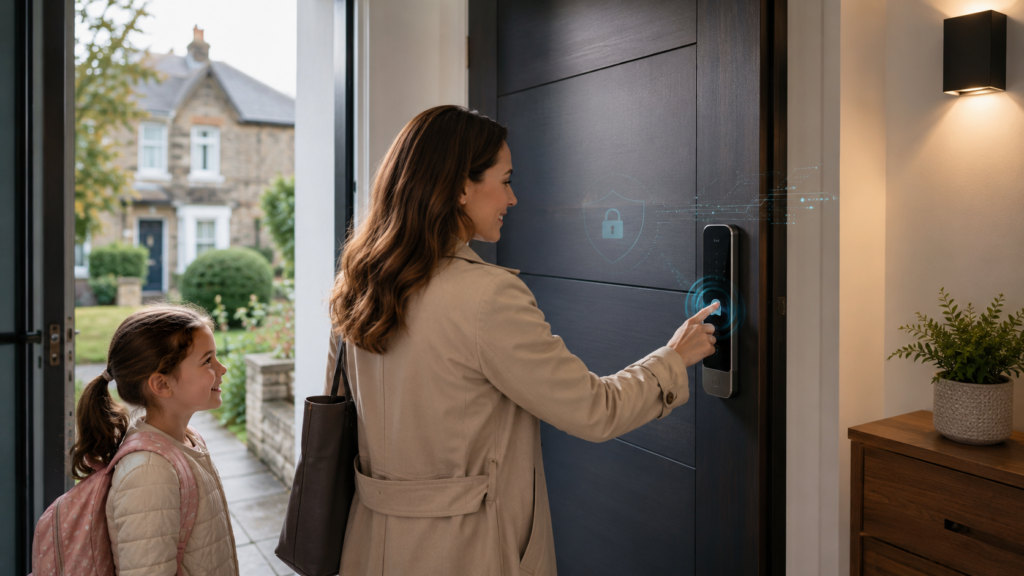
Smart App Access and Privacy
Many smart aluminium entrance doors include app based control.
This can be very useful. Homeowners may be able to unlock the door remotely, check whether the door is locked, manage users, or receive entry notifications.
But app access should also be considered carefully.
Before choosing a system, ask:
- Is the app protected by strong login security?
- Can two factor authentication be used?
- Can access be removed from old phones?
- What happens if a phone is lost?
- Are notifications private?
- Can remote unlocking be disabled if not needed?
For some homeowners, app access is essential. For others, fingerprint and keypad access may be enough.
The right choice depends on your lifestyle and security expectations.
Access Logs: Helpful or Unnecessary?
Some biometric entrance systems provide activity logs showing when the door was unlocked and which user accessed it.
This can be useful for:
- Families with school age children
- Shared homes
- Commercial offices
- Gated properties
- High security residences
- Managed buildings
For example, a parent may want confirmation that a child arrived home safely. A business owner may want to know when staff entered a secure area.
However, not every homeowner needs detailed logs. Some people prefer a simpler system with fewer connected features.
The best system is one that gives you appropriate control without adding unnecessary complexity.
Backup Access and Privacy
A secure fingerprint door should still include backup access methods.
These may include:
- Concealed mechanical key
- PIN keypad
- Smartphone access
- Battery backup
- Multiple registered fingerprints
Backup access matters because biometric recognition is not the only situation to plan for. A user may have wet hands, a cut finger, a dead phone, or a temporary issue with the scanner.
Good backup access improves reliability, but it should also be private and secure.
For example:
- PIN codes should be changed if shared
- Backup keys should be stored safely
- App access should be removed from lost devices
- Old user profiles should be deleted
- Emergency access should not create obvious weak points
This is where product configuration matters. You can configure your fingerprint entrance door based on your preferred balance of convenience, privacy, backup access, and security.
Design and Privacy: Why Concealed Hardware Helps
Fingerprint aluminium doors are often chosen for their clean design, but privacy and security can also benefit from concealed hardware.
Traditional front doors often have visible cylinders, handles, and external lock points. These can make the door look more familiar, but they also show where the locking system is located.
Modern aluminium entrance systems can integrate access technology more discreetly.
Design options may include:
- Flush panels
- Hidden handles
- Concealed key overrides
- Integrated fingerprint readers
- Minimal external hardware
- Smart access modules placed within the door design
This creates a cleaner entrance while reducing obvious visual focus on the locking mechanism.
For modern homes, this combination of privacy, security, and design is one reason smart aluminium entrance doors are becoming more popular.
What Can Go Wrong With Poor Quality Systems?
Not all fingerprint doors offer the same level of privacy or security.
Lower quality systems may have problems such as:
- Weak app security
- Poor fingerprint recognition
- Limited user management
- No clear data storage explanation
- Poor weather resistance
- Weak backup access
- Unreliable battery alerts
- Inadequate installation support
A cheap smart lock added to a weak door is not the same as a properly engineered biometric aluminium entrance system.
For premium homes, the whole entrance package matters: door structure, locking system, biometric module, software reliability, backup access, privacy controls, and installation quality.
Buyer Checklist: Fingerprint Door Privacy
Before choosing a fingerprint aluminium door, ask these privacy and data security questions:
Biometric Data
- Does the system store fingerprint images or encrypted templates?
- Is biometric data protected by encryption?
- Can user data be deleted easily?
- Is fingerprint recognition local or cloud based?
Access Control
- Who can add or remove users?
- Can temporary users be created?
- Can old users be removed instantly?
- Are access logs available?
App Security
- Does the app use secure login?
- Can lost phones be removed?
- Can remote access be disabled?
- Are notifications private?
Backup Access
- Is there a mechanical override?
- Is there battery backup?
- Is there keypad access?
- Are backup methods concealed or secure?
Supplier Support
- Is installation handled by specialists?
- Is aftercare available?
- Are privacy features explained clearly?
- Are warranties and support terms clear?
A reputable supplier should be able to explain these points without vague answers.
Installation Quality and Data Security
Privacy is not only about software. Installation also matters.
A poorly installed smart door can create practical security problems even if the biometric technology is strong.
Bad installation may affect:
- Lock alignment
- Weather sealing
- Sensor positioning
- Cable protection
- Power supply reliability
- Backup access function
- Long term performance
For a secure biometric entrance system, professional installation is essential.
The door should be fitted correctly, tested properly, and explained clearly to the homeowner before handover.
Are Fingerprint Doors Safe From Hacking?
No smart system should be described as impossible to hack. That would be unrealistic.
However, premium biometric entrance systems can be very secure when they use encrypted data, strong authentication, reliable hardware, secure apps, and proper installation.
In many real world residential situations, burglars are more likely to target weak physical locks, poorly secured windows, or visible vulnerabilities than attempt sophisticated digital attacks.
That does not mean digital security should be ignored. It means homeowners should choose a system that protects both physical access and smart access.
For a deeper look at security risks and myths, see biometric door security and technology explained.
Who Should Prioritise Fingerprint Door Privacy Most?
Fingerprint door privacy matters to every buyer, but it is especially important for:
- Families with children
- Smart home users
- Luxury homeowners
- Business owners
- Private clinics
- Gated properties
- Landlords managing premium rentals
- Architects specifying smart entrances
- Developers planning modern residential projects
If several people will use the door, user management becomes more important. If the property is high value or security focused, encryption, backup access, and supplier support become even more important.
When a Simpler Door May Be Better
A fingerprint aluminium door may not be the right choice for everyone.
A simpler mechanical door may be better if:
- You do not want biometric technology
- You prefer no app based access
- Budget is the main concern
- The property is temporary
- You rarely use the front entrance
- You want the simplest possible lock system
Smart entrance technology is most valuable when the homeowner genuinely benefits from keyless access, user management, premium security, and modern design.
Final Thoughts: Should Homeowners Worry About Fingerprint Door Privacy?
Homeowners should be thoughtful, not fearful.
Fingerprint door privacy is an important topic, but a well designed biometric entrance system should include strong protections for data, access, and emergency use.
The best fingerprint aluminium doors do not simply add a scanner to a front door. They combine encrypted biometric templates, secure user management, motorised multi point locking, backup access, aluminium durability, and professional installation.
Before choosing a system, ask clear questions about fingerprint storage, encryption, app security, user permissions, and emergency access. The right supplier should explain these features in plain language.
You can also configure your fingerprint entrance door to suit your property style, smart access preferences, and privacy requirements.
For homeowners comparing premium smart entrance systems, a showroom visit can make the differences much easier to understand. Take the next step and request a sample or showroom visit to compare finishes, hardware, and biometric access features in person.
FAQ
Is fingerprint door privacy safe for UK homeowners?
Yes, fingerprint door privacy can be safe when the system uses encrypted biometric templates, secure access control, reliable backup methods, and professional installation.
Do fingerprint doors store my real fingerprint?
Most quality systems should store an encrypted biometric template rather than a normal fingerprint image. Always ask the supplier how the data is stored.
Can fingerprint door data be deleted?
In a good biometric entrance system, authorised administrators should be able to remove user profiles and delete access permissions when needed.
Do fingerprint doors work without internet?
Many systems can unlock locally using fingerprint recognition even if Wi Fi is unavailable. Internet is usually needed for remote app features and notifications.
Are fingerprint aluminium doors secure against hacking?
No smart system is completely risk free, but premium fingerprint aluminium doors can be highly secure when they use encryption, strong authentication, and reliable hardware.
Leave a Reply